





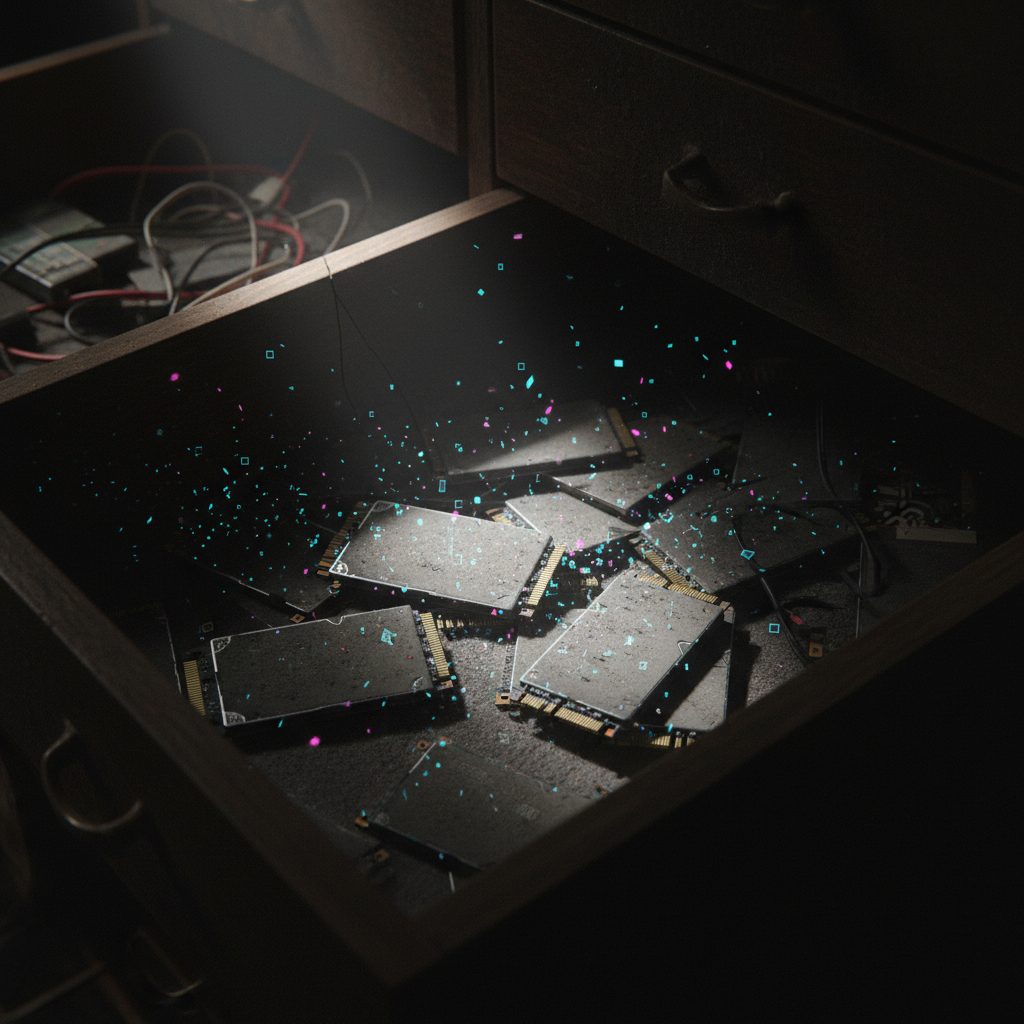
I’ve got some bad news about that old SSD sitting in your desk drawer – you know, the one you pulled from your laptop upgrade two years ago. The one you told yourself you’d “definitely find a use for someday.” Yeah, that one. It’s probably forgetting everything you stored on it. Right now. As you read this.
Turns out solid-state drives have a dirty little secret that nobody really talks about: when you unplug them and stash them away, they start losing data. Not in some far-off, theoretical future. We’re talking months, sometimes weeks if conditions are bad enough. And before you ask – no, this isn’t some weird glitch or manufacturing defect. It’s just how the technology works.
Which is kind of hilarious when you think about it, because we’ve spent the last decade convincing ourselves that SSDs are basically indestructible compared to those clunky old spinning hard drives. No moving parts means nothing to break, right? Well, sort of. But also… not really.
The Physics of Forgetting
Here’s the thing about how SSDs store your data – and this is where it gets a little weird. They’re basically trapping tiny electrical charges in microscopic cells, like catching lightning in billions of tiny bottles. Those trapped electrons represent your files, your photos, that novel you’ve been working on for three years. The problem? Those bottles have leaks.
Flash memory cells aren’t perfect containers. The electrical charges naturally seep away over time through a process that has the very technical name of “charge leakage.” (Scientists aren’t always creative with naming, apparently.) Without power flowing to the drive, there’s nothing actively maintaining those charges or refreshing them. It’s like trying to keep ice frozen without a freezer – entropy always wins eventually.
Temperature Makes Everything Worse
Now, you might think your data would be safe for years if you just leave the drive alone in a cool, dry place. And you’d be half right – temperature matters a lot. But here’s the kicker: it matters way more than most people realize.
The industry standard suggests that SSDs can retain data for about two years when stored at room temperature (around 77°F, if we’re being specific). That sounds reasonable, right? Except “room temperature” is doing a lot of heavy lifting in that sentence. Store that same drive in a hot attic or garage where temps can hit 95°F or higher? You’re looking at data retention measured in months, not years.

There’s actual math behind this, and it’s kind of depressing. For roughly every 9°F increase in storage temperature, data retention time gets cut in half. That’s not a typo. Every time you go up about nine degrees, you lose half your remaining time. It’s exponential decay in the worst possible way.
- At 77°F: You’ve got maybe two years before data starts getting sketchy
- At 95°F: Six months to a year if you’re lucky
- At 113°F: We’re talking weeks, possibly just a few months
And before you say “who stores drives at 113 degrees?” – ask yourself where your basement or attic temperature sits in August. Or inside a storage unit. Or in your car’s glove compartment. Yeah.
Not All SSDs Are Created Equal
Plot twist: the type of SSD you own makes a massive difference in how long it’ll hold onto your data. And weirdly enough, the cheaper drives actually do better in storage.
The SLC vs TLC Paradox
This is where storage technology gets counterintuitive. Single-Level Cell (SLC) drives are the expensive, enterprise-grade stuff – they’re faster, more durable, better at handling write cycles. They’re the SSDs you’d want if you were running a data center. But for long-term unpowered storage? They’re actually worse than their cheaper cousins.
Multi-Level Cell (MLC) and Triple-Level Cell (TLC) drives – the ones in most consumer laptops and desktops – store more bits per cell, which makes them slower and less reliable for active use. But those same characteristics mean they hold charges better when unpowered. The exact physics gets complicated (something about voltage threshold windows and charge distribution), but the bottom line is simple: your budget SSD might actually outlast a premium one on the shelf.
Which nobody saw coming, honestly.
Drive Age and Wear Matter Too
Here’s something that should be obvious but catches people off guard anyway – a heavily used SSD will lose data faster than a fresh one. Every time you write data to flash memory, you’re degrading those cells a tiny bit. After thousands of write cycles, they don’t hold charges as well.
“Think of it like a rechargeable battery that’s been through hundreds of cycles. Sure, it still works, but it doesn’t hold a charge quite like it used to.”

So that old boot drive you replaced because it was getting slow? The one that’s been written to daily for five years? Yeah, that’s probably the worst candidate for long-term unpowered storage. But it’s also the exact drive most of us throw in a drawer for “backup purposes.”
What This Actually Means for You
Okay, so let’s get practical here. Should you panic about every SSD you own? Probably not. But you should definitely rethink your backup strategy if it involves unpowered SSDs sitting around.
First off – and this feels obvious but apparently isn’t – SSDs are not archival storage. They’re amazing for active use. Lightning fast, relatively reliable, way better than hard drives for your daily computing. But for storing those wedding photos you can’t lose? Your tax records from the last decade? That’s not what they’re designed for.
Traditional hard drives, for all their mechanical clunkiness, don’t have this problem. The data is stored magnetically on platters, and those magnetic fields stick around for years, even decades, without power. (They have their own failure modes, of course – mechanical parts eventually seize up, and magnets can degrade. But data loss from sitting unpowered? Not really their issue.)
The “Power Them Up” Solution
Here’s a weird fix that actually works: if you plug in your SSD and let it sit powered on for a few hours every six months or so, it’ll refresh all those charge levels. The drive’s controller automatically maintains the cells when it has power. Problem solved, kind of.
But who actually remembers to do that? Be honest. You’ve got a dozen other things to remember. Setting calendar reminders to plug in old drives is basically the data storage equivalent of flossing – everyone knows they should do it, almost nobody actually does.
The Bigger Picture Nobody’s Talking About
This whole situation raises some uncomfortable questions about our digital future. We’re creating more data than ever – photos, videos, documents, everything. And we’re storing most of it on technology that’s fundamentally temporary if you leave it unpowered.
Cloud storage helps, sure, but that’s just someone else’s SSD (or increasingly, someone else’s SSD array). The data’s being actively maintained because the drives are powered 24/7. But what happens if you stop paying that subscription? How long until your files just… vanish?
There’s something almost poetic about how we’ve built this entire digital civilization on technology that slowly forgets. Our grandparents’ photo albums from the 1960s are probably in better shape than our digital photos from 2010 will be in another decade. At least if we’re not careful about it.
The solution isn’t complicated, really. Multiple backups, different technologies, some of them actively maintained. Maybe even printing out the stuff that really matters (which feels weirdly retro but also kind of reassuring). The key is just knowing that this is a thing that happens. That your SSDs aren’t immortal time capsules.
So maybe this weekend, dig out those old drives. Plug them in, copy anything important to somewhere with redundancy. And if you find one that’s already lost everything? Well, hopefully it wasn’t anything you couldn’t replace. Because odds are, there are a few more sitting in drawers and boxes, quietly forgetting right now.